 Renovate
The money stays visible.
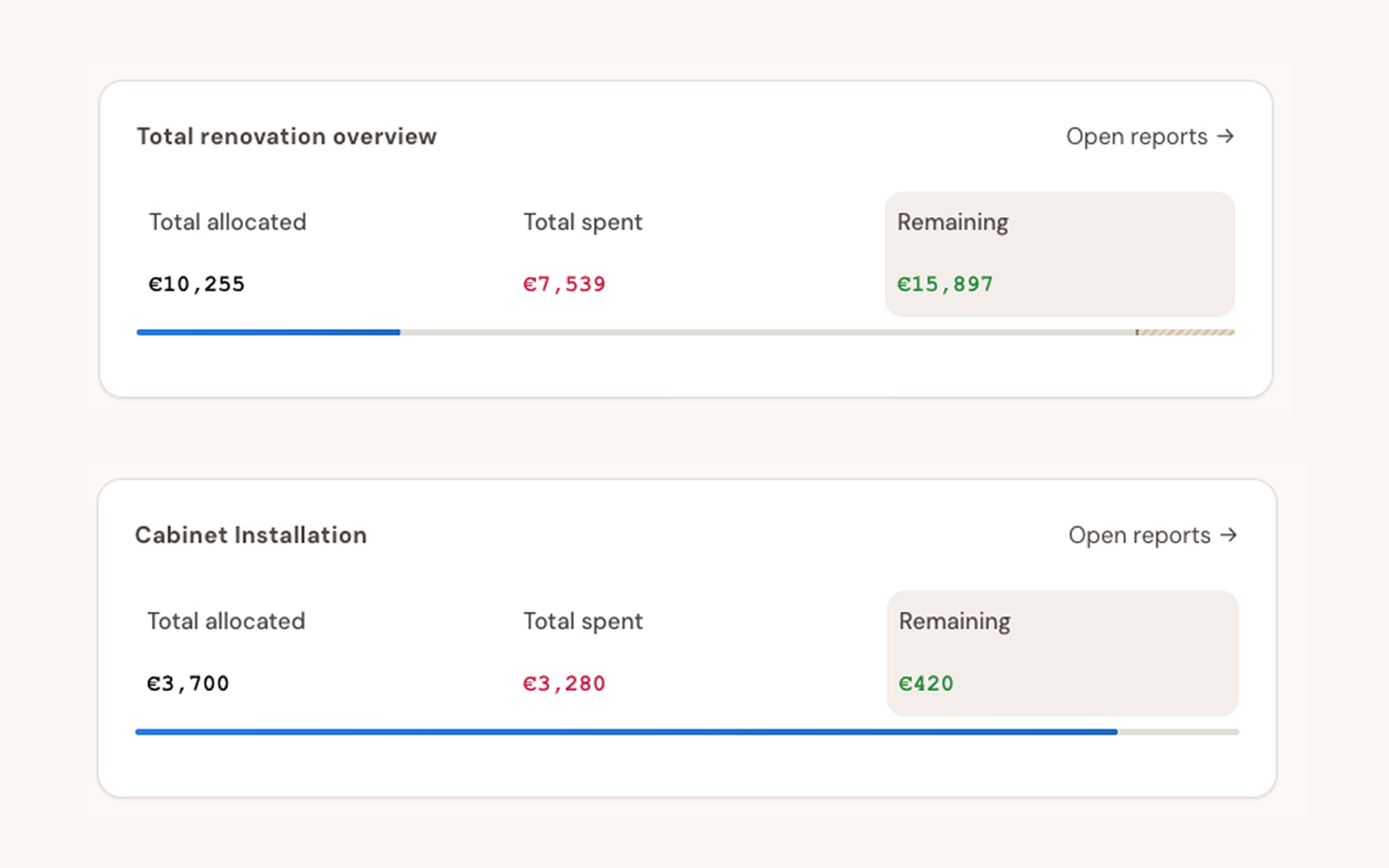
Allocated, spent and remaining, for the whole house and for every phase, before "roughly fine" turns into a surprise.
Your budget, plan, documents and decisions in one calm place, shared with everyone involved, from your partner to your contractor.
Private beta. Invites go out in small waves.

What's next, what's overdue and how long until the next milestone. On your phone in the hallway, or on your laptop when you sit down to plan.
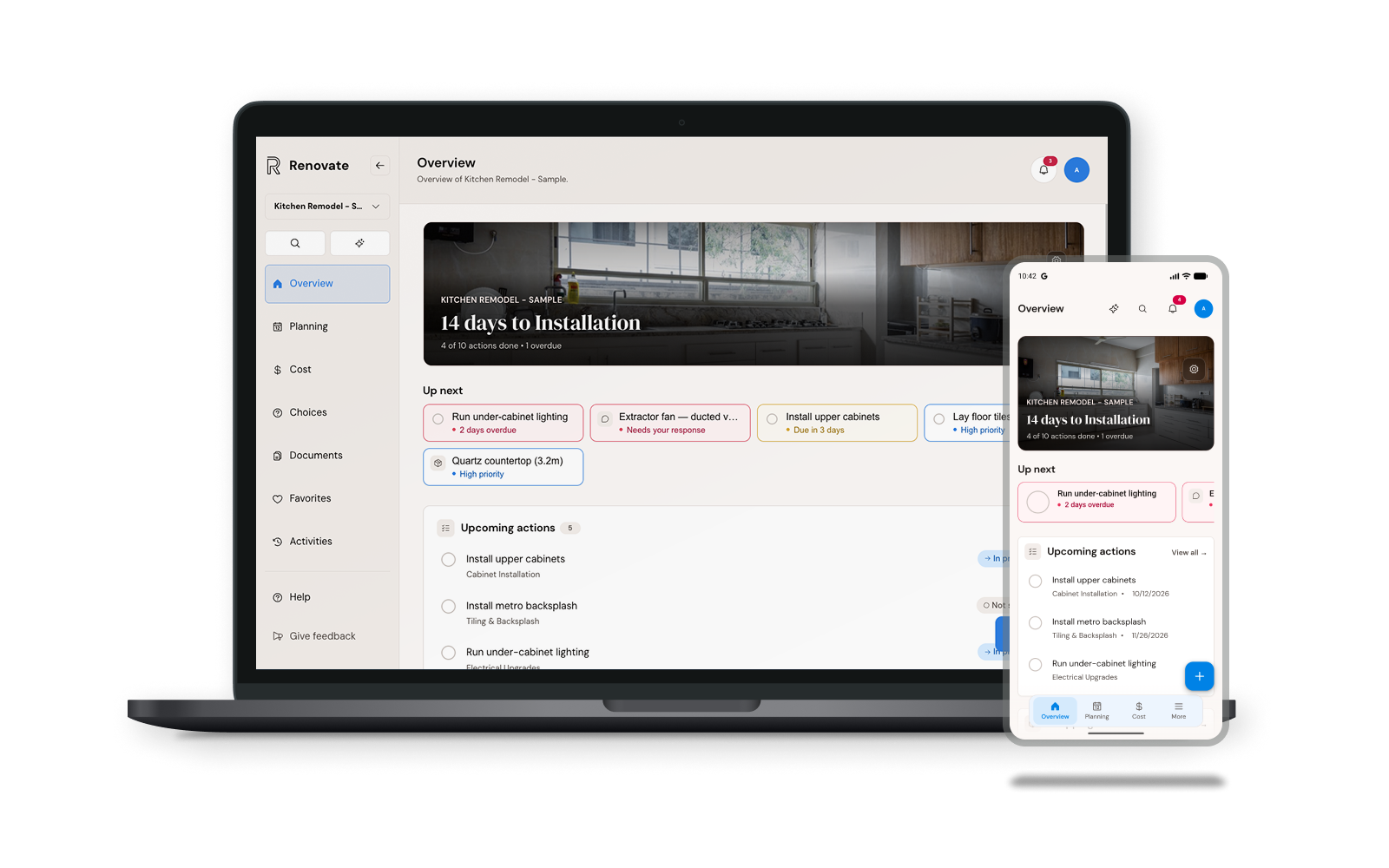
The sample project from the live demo.
Allocated, spent and remaining, for the whole house and for every phase, before "roughly fine" turns into a surprise.
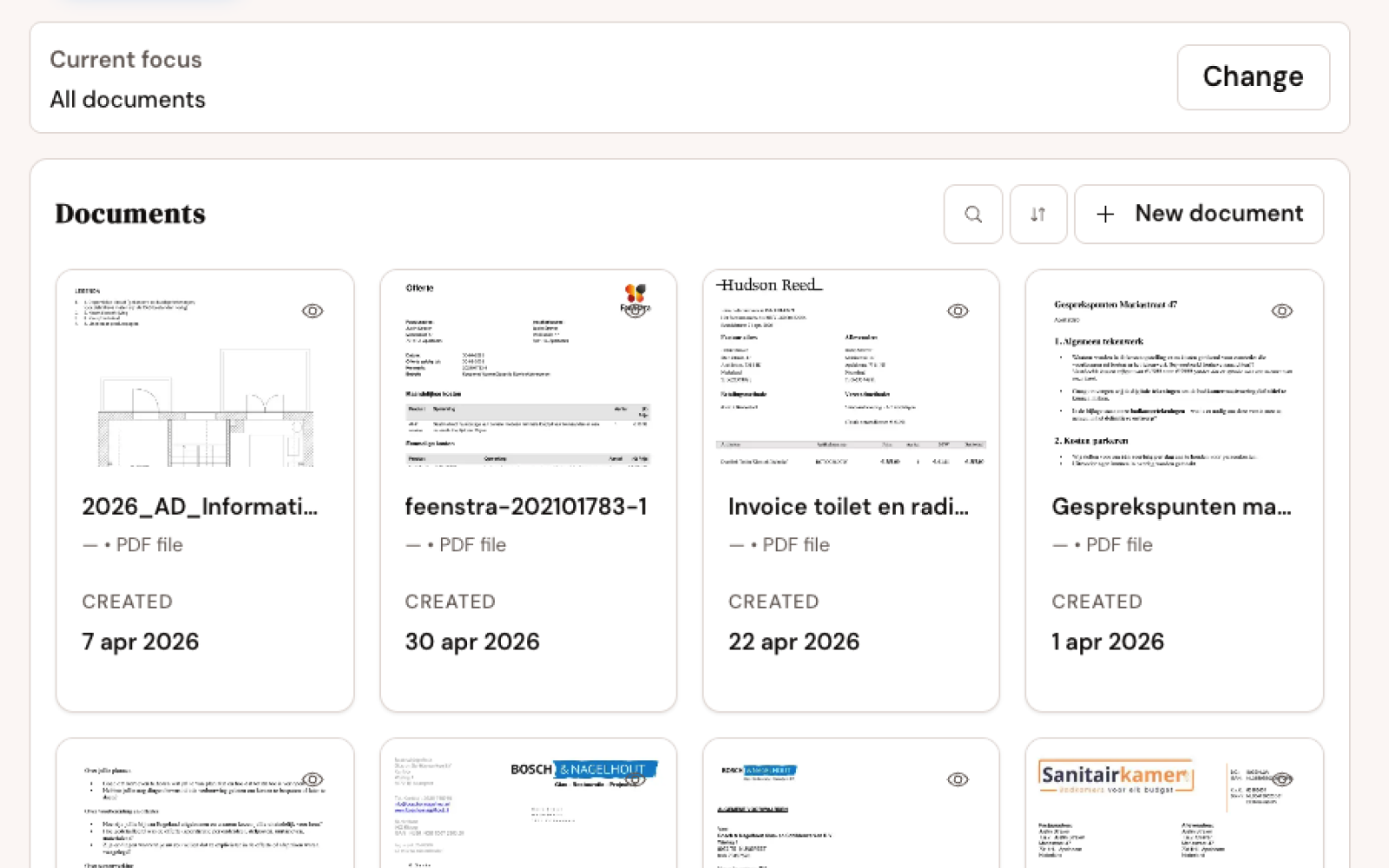
Contracts, invoices and permits attached to the job they belong to, so you search once instead of scrolling twelve threads.
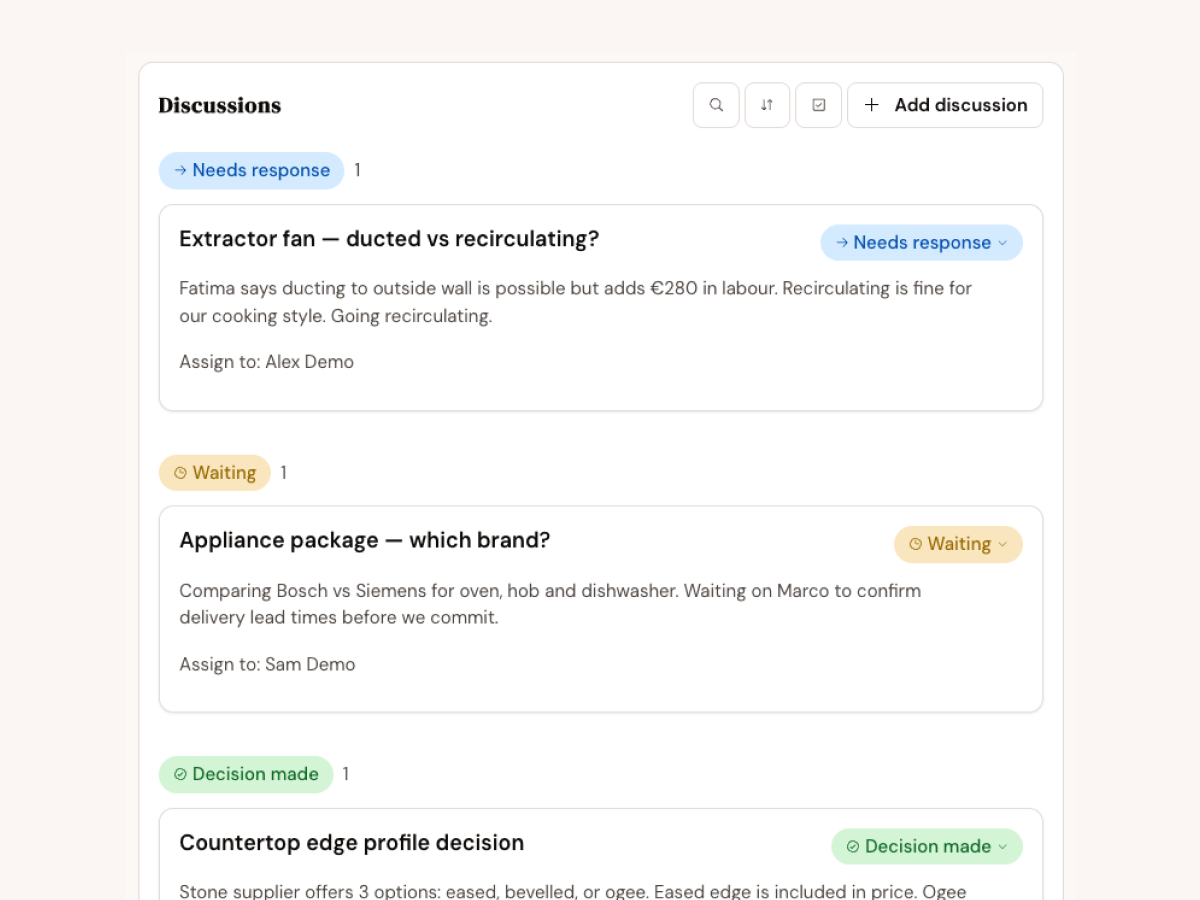
Open questions sit in one list with who needs to answer. You both see what's waiting and what's settled.
Schedule, payments and site photos, kept with the same project.
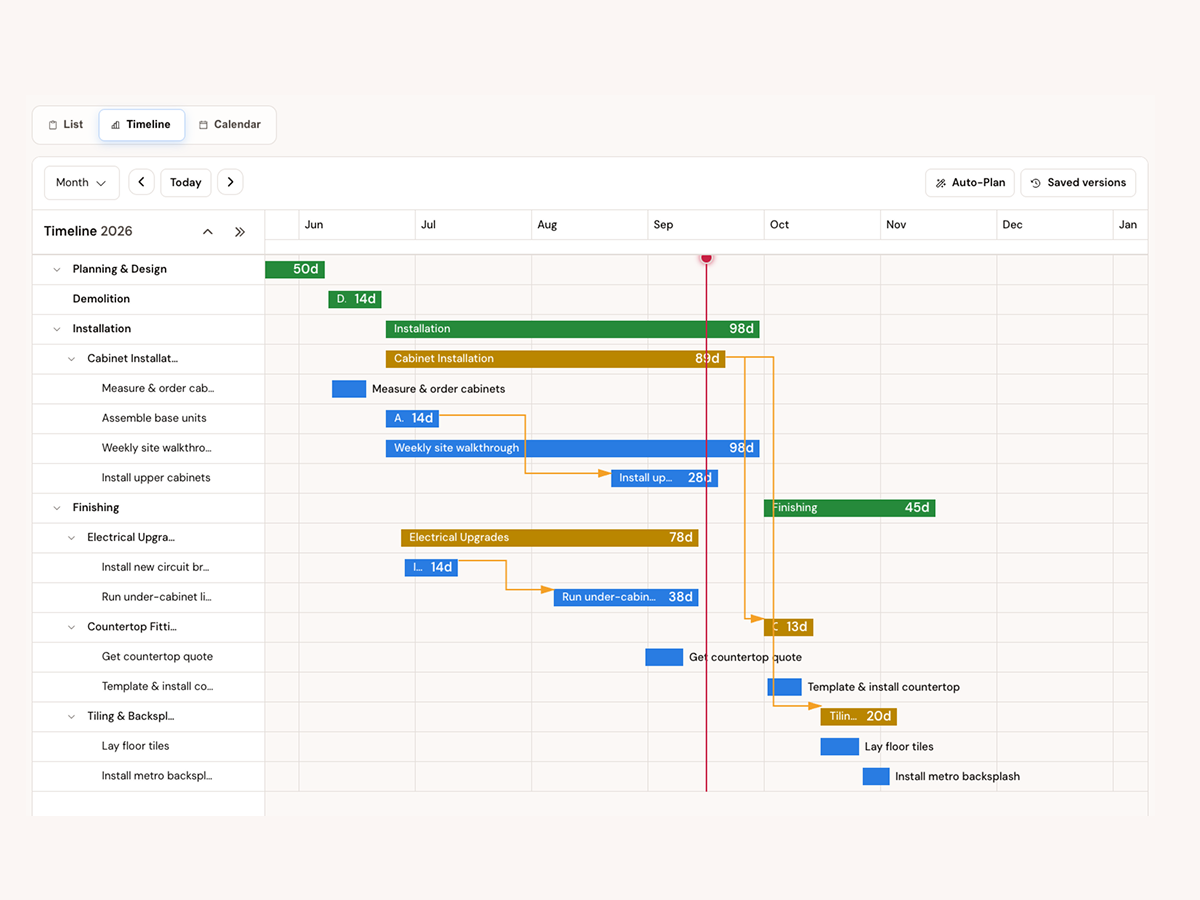
Every phase and task on one timeline, with the links between them. When the cabinets slip a week, you see what moves with them.
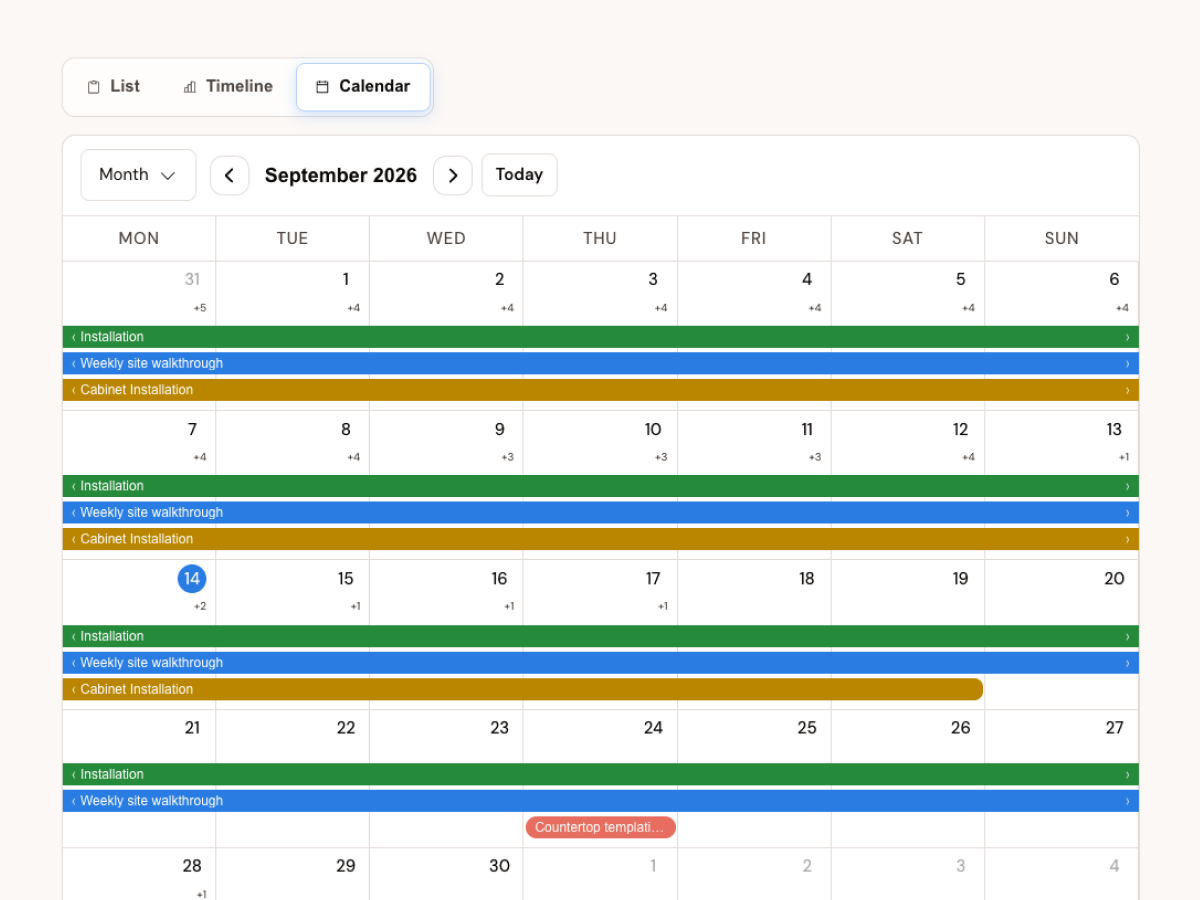
A month view of the work on site, optionally synced to Google Calendar so walkthroughs and installations show up beside everything else.
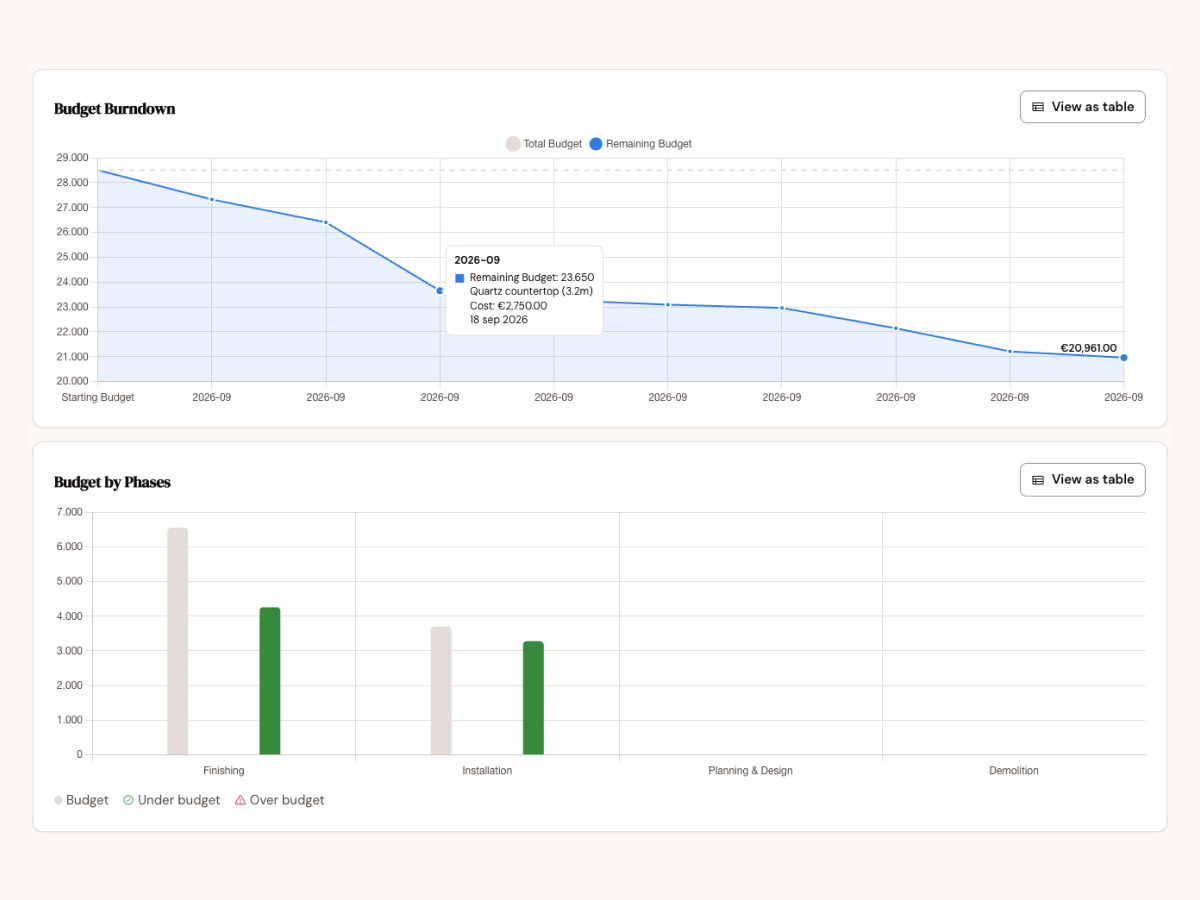
Budget burndown over time and spend per phase, with over and under budget marked, so you notice the drift while you can still do something about it.
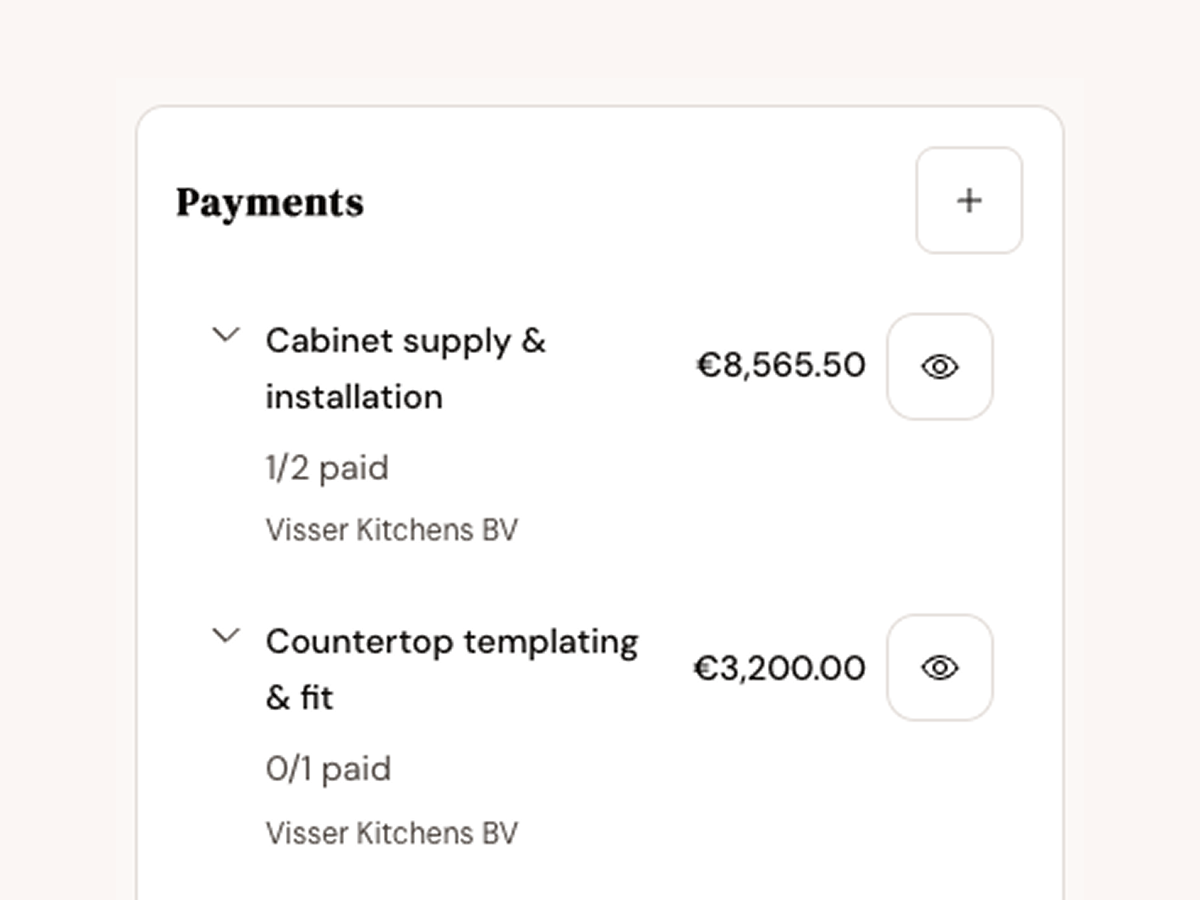
Installments per contractor, what's paid and what's still to come, with reminders before a payment is due.
Site photos and inspiration shots kept with the project, not lost between your camera roll and your partner's.
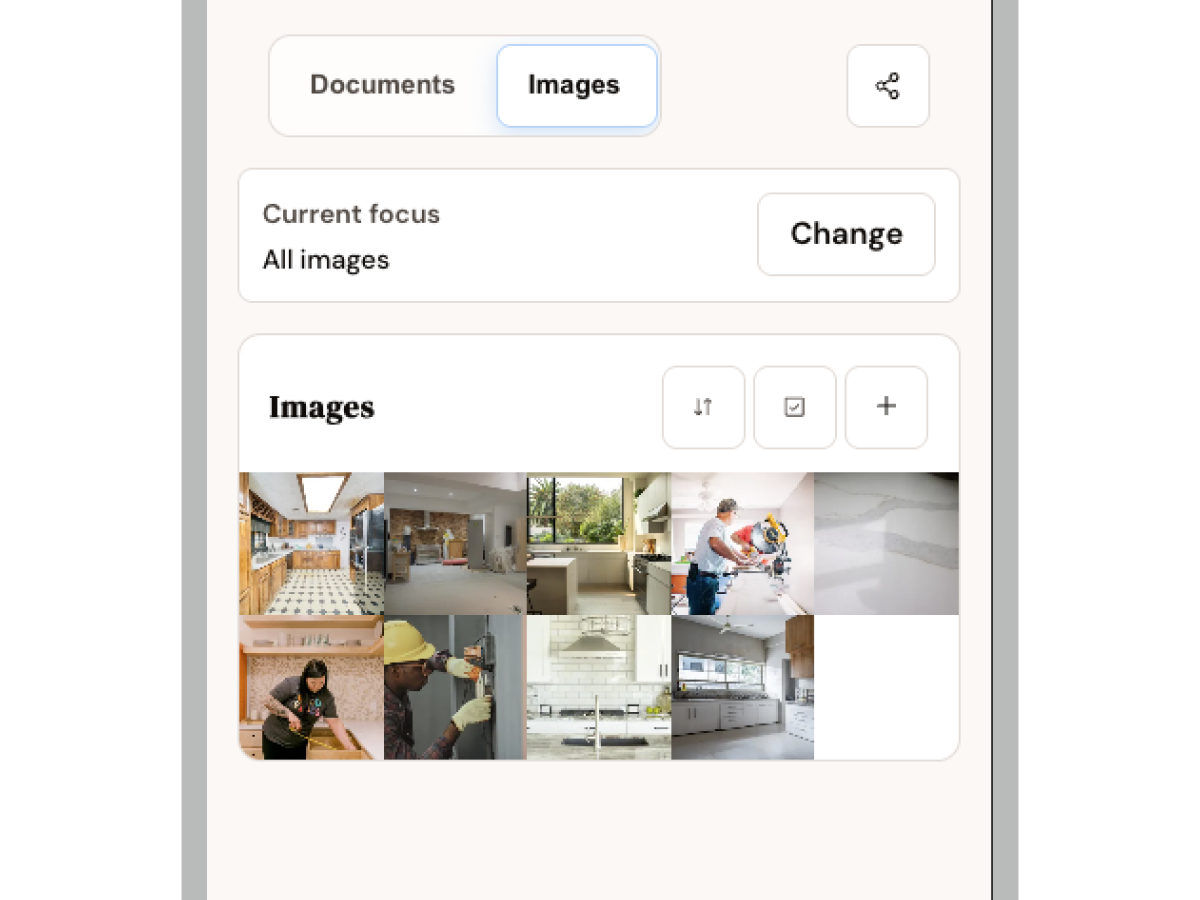
Also: contractor contacts, invites for your partner or contractor with the right access, and more than one renovation at a time.
Not project managers. Homeowners with a day job, a partner, and a house full of dust.


Open the budget: allocated, spent and remaining for the whole house and every phase. Estimates, committed quotes and paid invoices are tracked separately.
Attached to the electrical phase and to the electrician's contact, so one search finds it.
Probably. Each discussion keeps its status and the decision that was made, so neither of you has to remember why.
It's on the task list with a name next to it, and her number is in contacts.
Yes. Renovate is designed for phones first, for the two-minute check in the hallway, and works on a laptop for the longer planning sessions.
Yes. Invite your partner, an advisor or a contractor, each with the level of access that fits.
From the waitlist, in small waves. Join and we'll write when there's room.
In the app, open Settings and choose Delete my account. Can't open the app anymore? Here's how to delete your account without it, and what gets removed.
We let people in a few at a time so support stays personal. You'll hear from us about early access and the occasional product question, nothing else.
Form not opening? Email hello@gorenovate.nl.